Record trips and shifts, then review earnings, time, mileage and efficiency from your own activity.
01
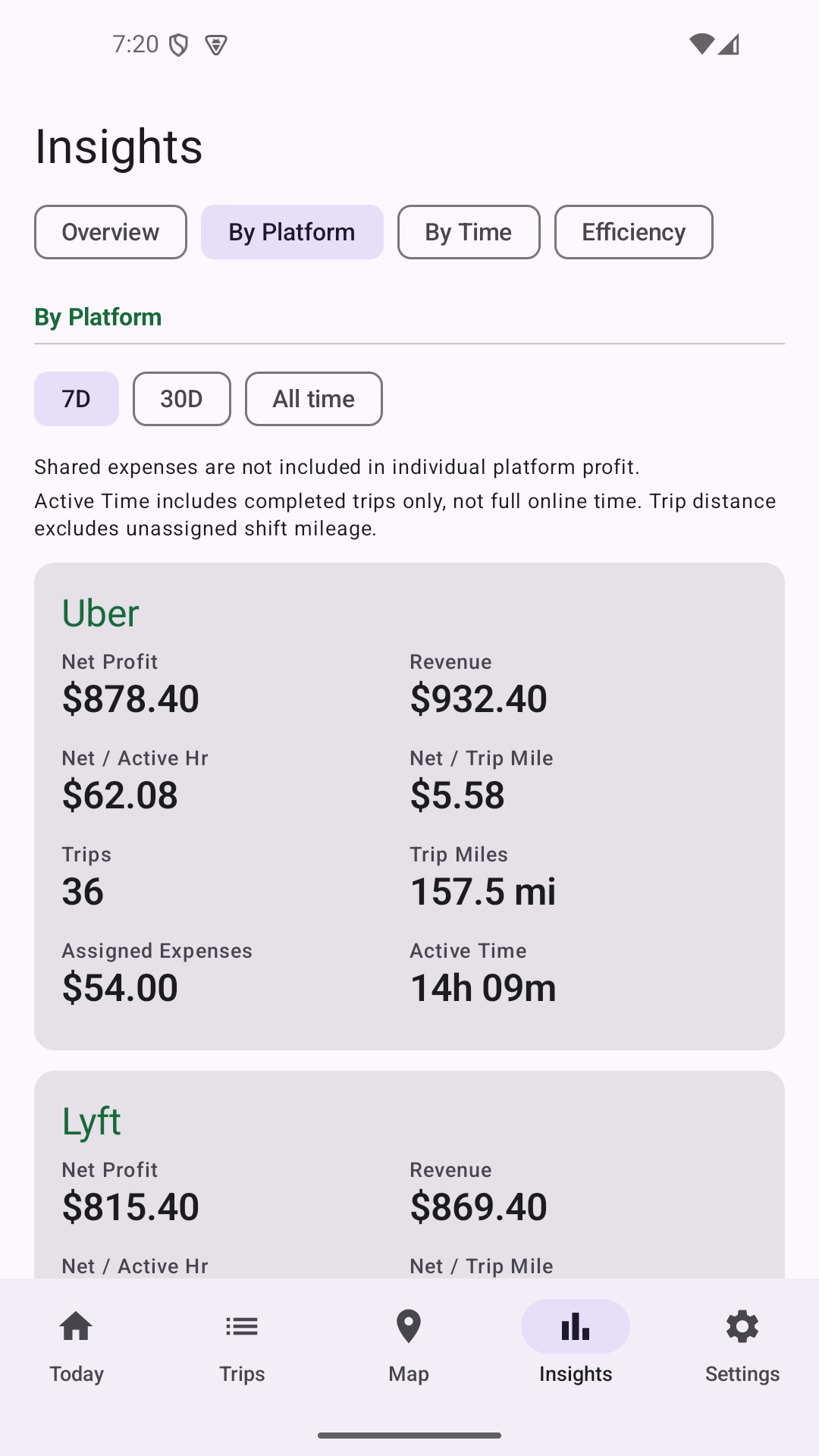
Platform Performance
Compare how the platforms you track perform using your own records.
Revenue and net profit
Net per active hour and per trip distance
Trip count, active time and expenses assigned to a platform
Named platforms, custom platforms and unassigned records
Shared expenses are not forced onto an individual platform.
Real app screenshot · Demo data
02
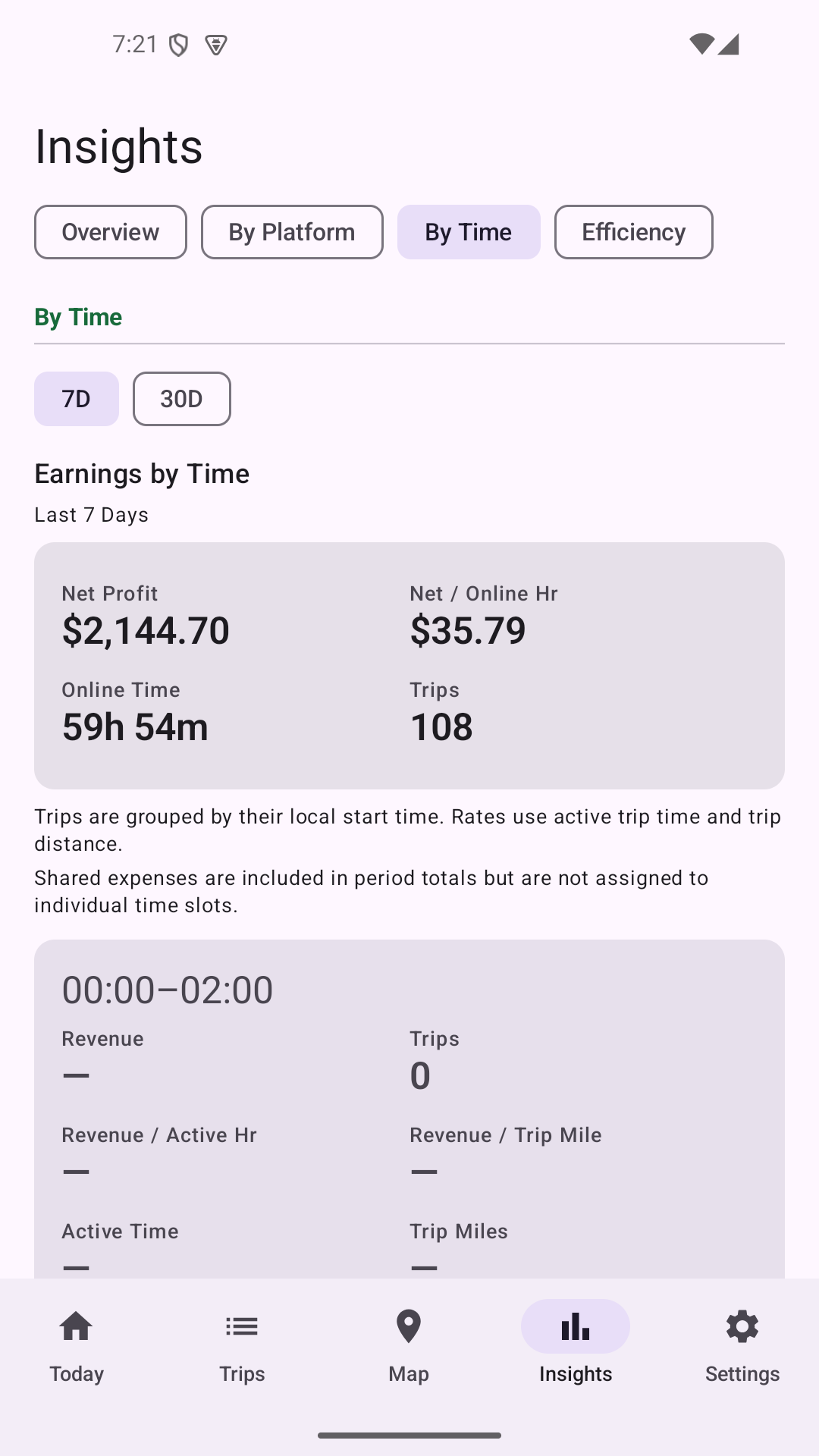
Time Insights
See how your recorded work changes through the day.
7-day and 30-day views
Two-hour time slots
Revenue, revenue per active hour and per trip distance
Trips, active time and low-data indicators
These summaries describe recorded history; they do not recommend a best time to work.
Real app screenshot · Demo data
03
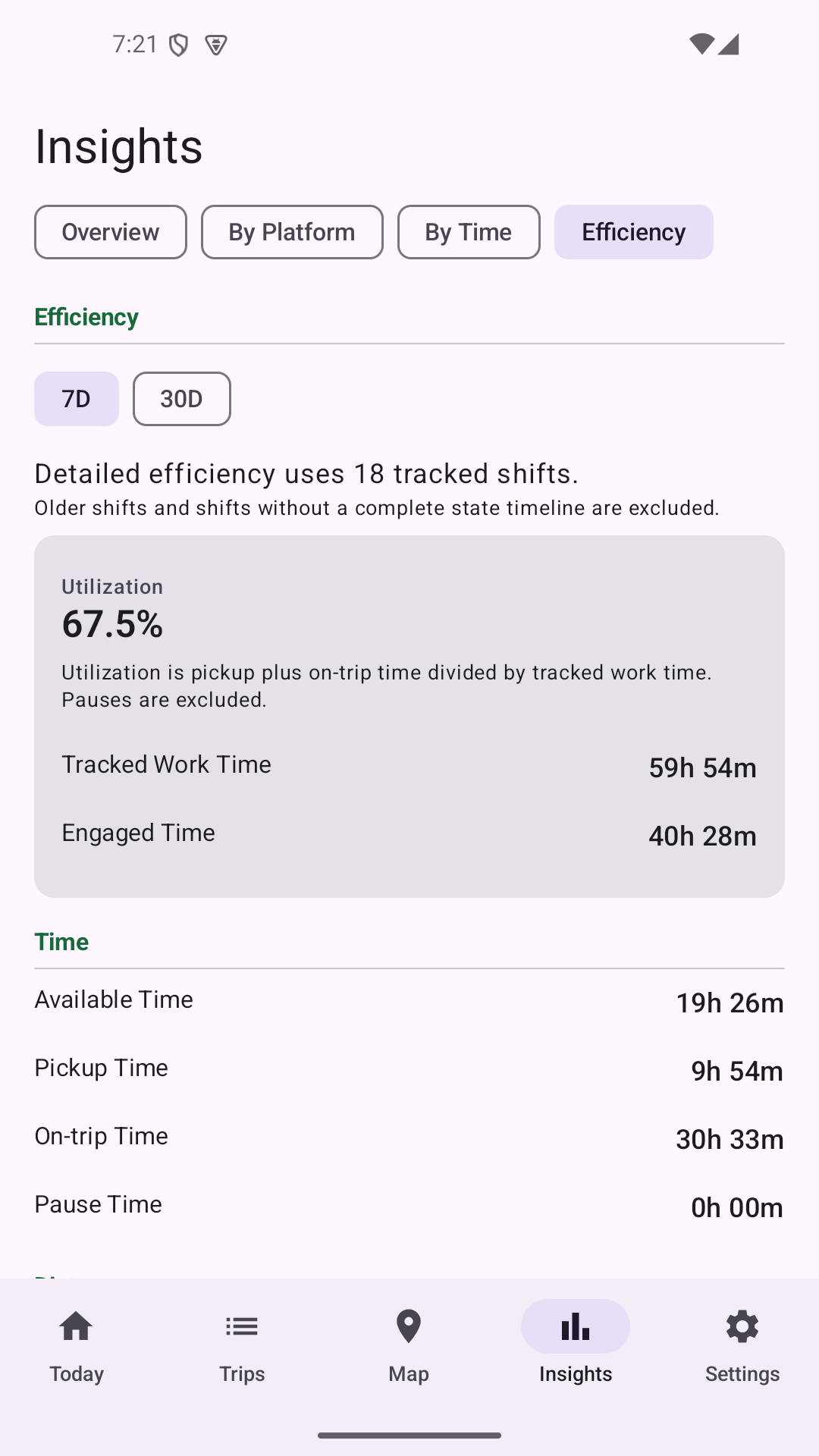
Efficiency Tracking
Mark the stages of work to understand where tracked time and driving go.
Available → Accepted / Pickup → On Trip → Available
Pause and resume shift tracking
Tracked work time, engaged time and utilization
Available, pickup, on-trip and pause time; between-order, pickup and on-trip distance
Distance metrics depend on usable GPS coverage and may be unavailable for incomplete records.
Real app screenshot · Demo data
04
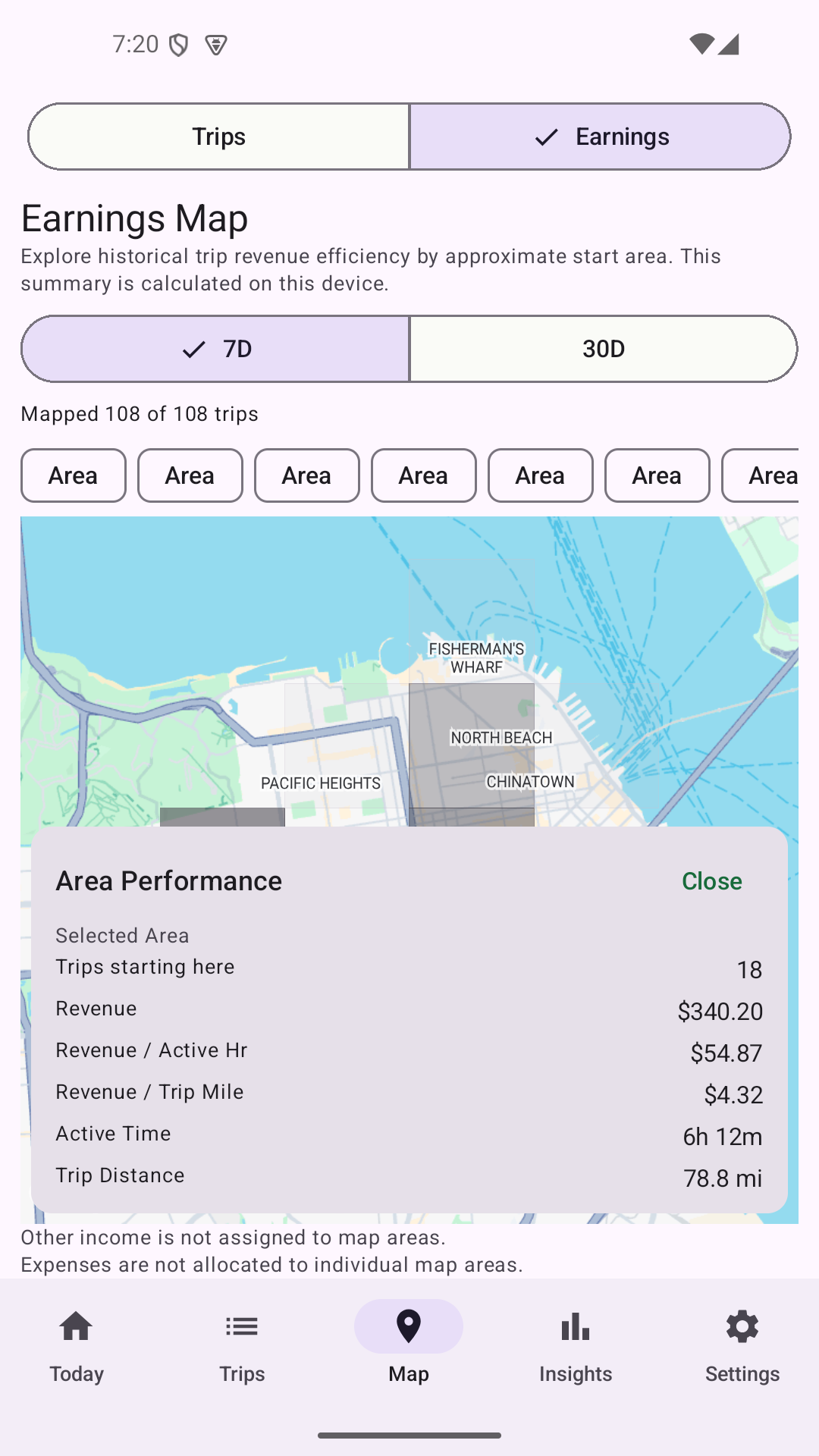
Personal Earnings Map
Review historical area performance from the trips you recorded.
7-day and 30-day views with mapped coverage indicators
Trip count, recorded trip revenue, active time and trip distance
Revenue per active hour and per trip distance
After-dropoff summaries for tracked drop-offs and average between-order driving or available time
This map reflects your own history, not live demand, surge or platform-wide hotspots.
Real app screenshot · Demo data
Trip, mileage and expense records
Record a shift, enter trips and income, label a platform, and keep expenses with your records. GPS mileage and routes can be recorded when you enable tracking during an active shift; known trip distances can also be entered manually.
Track fares, tips, other income and recorded costs.
Review gross earnings and net profit based on recorded and configured costs.
Use miles or kilometers.
Export completed shift records as CSV for free, or create a PDF business summary with Pro.
Keep your app records on your device unless you export them.
GigNivo does not connect to gig-platform accounts. Platform names are labels for your records.
GigNivo summarizes your own recorded activity. It does not provide live market data or guarantee a financial result.